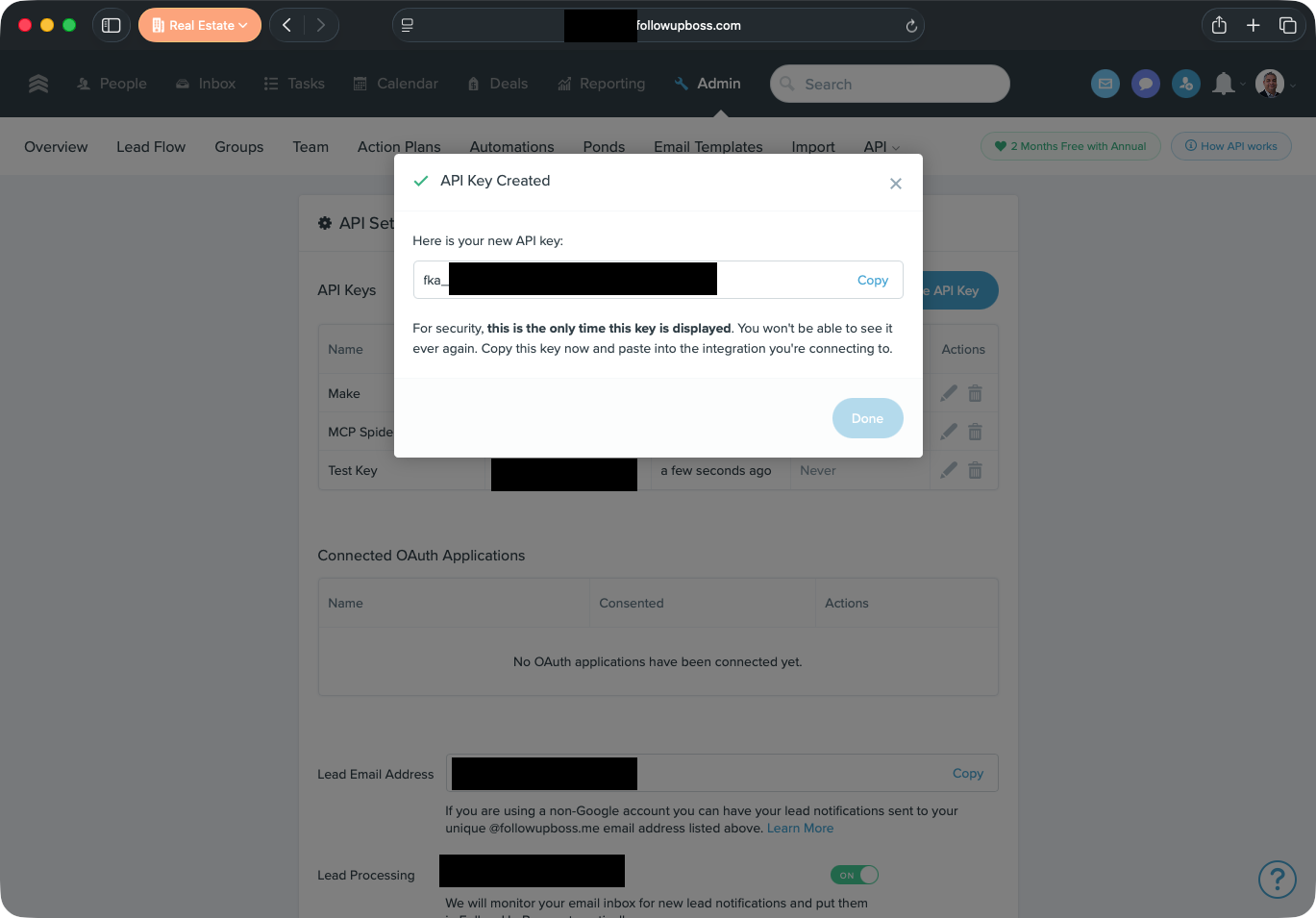
Finding Your Follow Up Boss API Key
Where the key lives in Follow Up Boss, and why it is shown only once.
Follow Up Boss gives each account a key that lets another program act on its behalf. That key is what you paste into this application. You need to be an owner or an administrator of the Follow Up Boss account to create one.
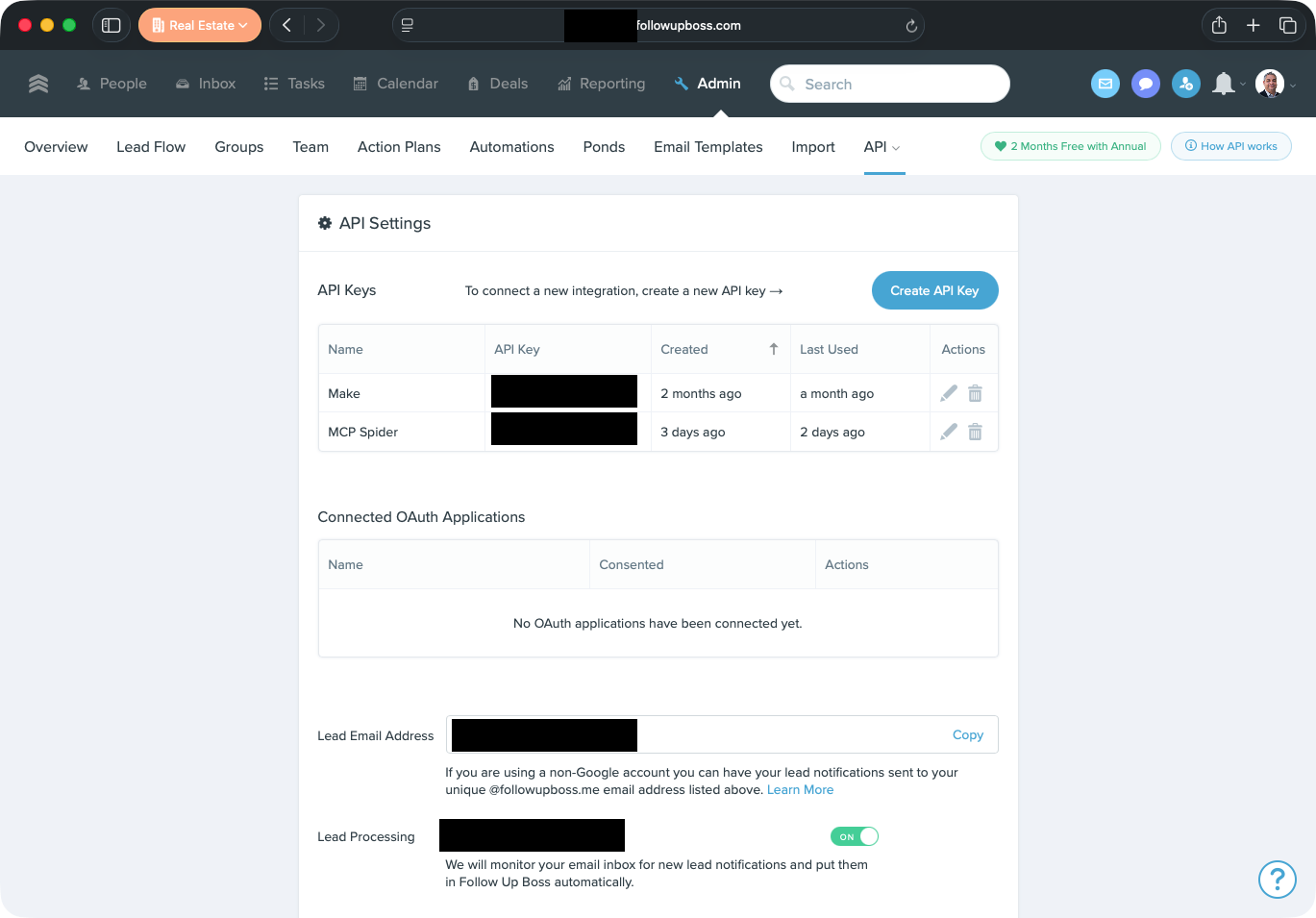
Create the Key
- Sign in to Follow Up Boss.
- Open Admin, then API.
- Choose Create API Key and give it a name you will recognize later, such as "MCP Spider".
Naming it is worth the two seconds. A key you can identify is a key you can retire without wondering what else stops working.
Copy It Before You Close the Dialog
Follow Up Boss shows the key once. If you close the window without copying it, the key is not lost, it is simply unreadable: delete it and create another. That is the same rule this application follows for its own access tokens, and for the same reason. A key that can be read back later is a key that can be read back by someone who should not have it.
The key carries whatever your Follow Up Boss account can do, so treat it as you would your password.
Follow Up Boss keys begin with fka_. If what you have copied does not,
you have picked up something else from the page.